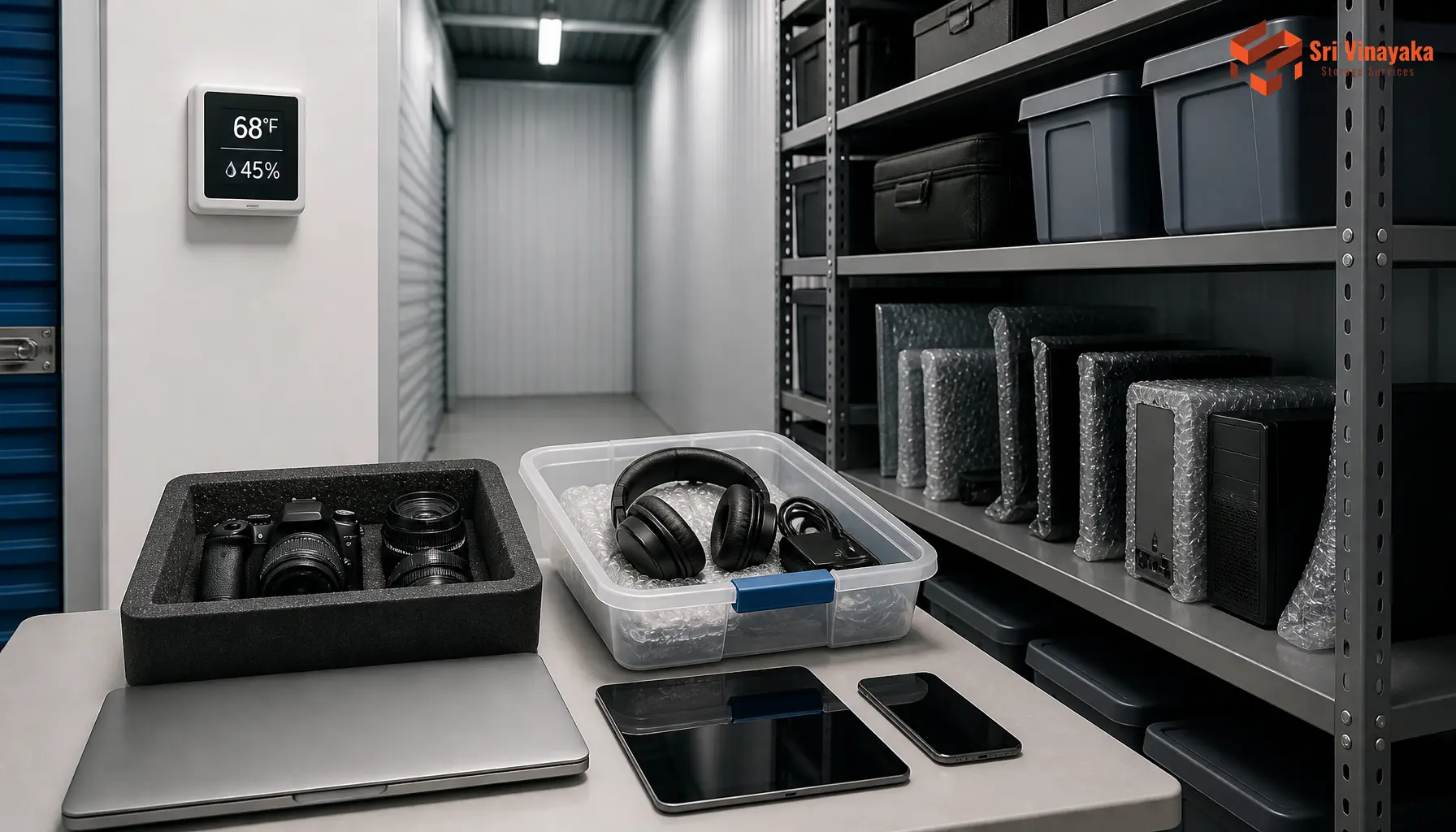
Monsoon humidity, summer heat, and year-round dust make India one of the tougher places to keep gadgets idle. A laptop left in a cupboard can develop a swollen battery, while a TV kept in a garage collects moisture inside its screen. Understanding what storage for electronics demands, however, eliminates most of these failures. Whether you are stowing away a spare television or managing inventory for a business, professional self-storage solutions can provide the climate-controlled environment your devices desperately need.
What Is the Best Way to Store Electronics Long-Term?
The best approach to long-term electronic component storage can be found by a careful combination of preparation, packaging, and keeping your electronics in an environment with a stable climate. One box does not do the trick; safety is from a series of tasks that can begin even before you put away a device.
Start with a Pre-Storage Checklist
- Back up important data first — Copy critical files to cloud storage or an external drive, because a device that fails while idle should never take your photos, documents, or work with it. This is the single most regrettable step to skip.
- Remove and manage batteries — Take out removable alkaline and lithium batteries entirely. Where a battery is built in, charge it to roughly 40–60% before storage, since a fully charged or fully drained cell loses capacity fastest.
- Clean, disconnect, and label — Wipe surfaces with a dry microfiber cloth, unplug all cables, sign out of accounts, and label chargers and accessories so that you never struggle to match a device with its parts later.
Use Anti-Static Packaging, Not Regular Plastic
- Keep regular plastic wrap away from electronics — Ordinary cling film and plastic bags generate static electricity and trap condensation, which can damage sensitive circuit boards and encourage corrosion.
- Choose ESD-safe materials instead — Anti-static bubble wrap, static-shielding bags, and anti-static foam dissipate charge safely and should be your default for boards, hard drives, and assembled consumer gadgets.
- Prefer original packaging when possible — Factory boxes come with molded foam that holds devices firmly and absorbs shock. If you no longer have them, use a sturdy corrugated box with adequate foam support.
Create a Stable, Dry Storage Environment
- Match recommended temperature and humidity bands — Industry guidance for component-level storage is 15°C–25°C with 30–40% relative humidity, so always avoid garages, balconies, and attics where readings swing wildly.
- Keep conditions consistent — Temperature fluctuations cause thermal cycling that weakens solder joints, while humid air brings corrosion, so store devices away from windows, direct sunlight, heat sources, and water pipes.
- Add silica gel and raise boxes off the floor — Place desiccant sachets inside boxes and keep all containers on shelves or pallets to protect against ground damp, dust, and pests.
How Long Should You Let Electronics Dry?
If your device has been wiped with a wet towel, has been subjected to humidity, or has just been sprinkled unintentionally, it is advisable that you leave it to air-dry for at least a day to two and a half days. Let it be in a temperature-controlled, dry location, and do not use hair dryers, cooking appliances, or microwaves which could melt down different parts or twist the outer casing. Silica gel packs will help the faster drying out process, and the gadget should be dry through before putting it into the box; otherwise, the dampness inside might cause short circuits and internal corrosion.
Together, these four measures ensure proper long-term protection and safe storage for your electronics, and the consequence of the other three will be negated should any one be left out.
Do Electronics Go Bad If Not Used?
Definitely, electronics go out of order if left unused at all. Batteries of the lithium-ion type are able to lose their charge over time, which also results in reduced battery capacity. Capacitors of the electrolyte type will naturally undergo change over time, which can be seen by the fact they can’t maintain the internal structure anymore, and rubber belts, seals, and thermal paste can become dry after a while.
Hard drives may pose another weak point as the lubricants may become thick and the reading heads could get locked to the hard drive surface if left for a very prolonged time. The point is maintenance is what makes a difference: just power on the electronic devices once in 6 to 12 months. In the case of a vintage computer or a music player, the CMOS button-cell battery should be taken out before storage because the acid leakage from a bad battery cell could damage the motherboard.
Recognizing that stored items have never actually completely “paused” makes scheduled check-ups a necessary part of any long-term storage plan for electronics. For those who need extra space to keep devices safe, exploring household storage options with climate controls can be a wise investment.
Electronic Component Storage: Guidelines for Sensitive Parts
Electronic components in their original forms—PCBs, ICs, connectors, and other unsorted parts—have greater demands when it comes to storage compared to finished products. Each component comes with a specific moisture sensitivity level (MSL); because of this, it is essential that these components are kept in dry, vacuum-sealed bags protected from electro-static discharges (ESD) and moisture-barrier bags with desiccant sachets inside for each unit.
Also, keep them in such locations where there are no printers, fumes from exhaust pipes, or other strong air pollutants, as ozone and other reactive gases lead to the corrosion and degradation of metal contacts and solder points. Having a thermo-hygrometer in the storage area enables the control of temperature and humidity to remain at the recommended levels of 15–25°C and 30–40% RH respectively. For businesses dealing with bulk components, professional warehouse services offer the controlled environment needed for sensitive inventory.
Can the Human Body Affect Electronics?
Humans can, through electrostatic discharges, inadvertently hurt sensitive electronic devices. In fact, getting a slight electric charge while just rubbing on a synthetic floor or even wearing certain kinds of clothing can result in your skin holding a charge when you touch a bare circuit board.
This minute action may not even cause the component destruction directly, but its performance could be affected negatively to cause a failure several days later. This is why technical staff should always have a static-dissipative wristband tied at working stations and the use of a board only at its edge, as skin residues like sweat and touch from fingers can contribute to the deterioration of metal contacts over time.
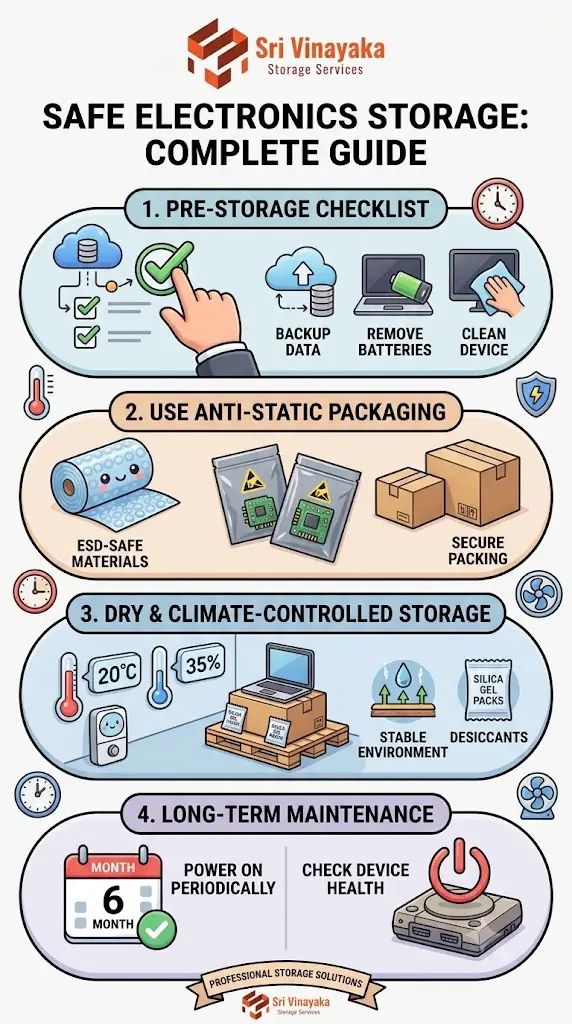
Final Checklist for Safe Storage for Electronics
- Back up all data and sign out of accounts before any device goes into storage.
- Clean each device and let it dry completely; never box up damp electronics.
- Remove batteries or leave lithium cells at around 40–60% charge.
- Wrap items in anti-static materials and use the original box wherever possible.
- Store electronics upright, off the floor, and away from sunlight and heat sources.
- Add silica gel sachets to every box and keep humidity in the 30–40% range.
- Power on stored devices every six to twelve months to keep internal components healthy.
Safe storage for electronics is not complicated, but it is unforgiving of shortcuts. A few minutes of care before boxing up your devices can save you thousands of rupees and the frustration of lost data. When your home cannot provide a cool, dry, and stable environment, trusting a facility like Sri Vinayaka Storage Services ensures your electronics remain ready for use whenever you need them again. Our storage facilities are designed to protect your valuable gadgets from India’s harsh climate conditions.
FAQs
What do Reddit users recommend for storing electronics safely for long periods?
Community discussions consistently recommend anti-static bags, silica gel desiccant packets, and original packaging as the core trio. Reddit users also stress removing batteries and powering equipment up every few months rather than sealing it away and forgetting it. For those needing extra space, renting a storage unit with proper climate control is often suggested as the most reliable option.
What is an electronics organiser, and how is it useful?
An electronics organiser is a compartmentalised box, case, or drawer system that keeps cables, chargers, hard drives, and small gadgets tidy and labelled. Using one prevents cables from tangling, keeps accessories with their parent devices, and makes retrieval easy when you need a stored device quickly. This pairs well with organising your storage unit for maximum efficiency.
How long can electronics be stored without powering them on?
Most consumer electronics tolerate six to twelve months of storage without issue if batteries are removed and conditions are stable. After a year or more, capacitors and batteries begin to degrade, so periodic power-on checks are recommended. Understanding how to protect stored items from dust, moisture, and pests is essential for extending device lifespan.
Is it safe to vacuum seal electronics for storage?
Vacuum sealing reduces oxygen and moisture exposure, but the compression can stress fragile components. If you try it, place the device in an anti-static bag first, add a silica gel sachet, and avoid crushing anything with moving parts.
Should I remove batteries before storing my devices?
Yes. Removable batteries should always come out, because even new cells can leak and corrode the battery compartment. Built-in lithium batteries should be stored at partial charge, around 40–60%, in a cool place. For comprehensive protection of all your belongings, consider professional storage services that offer climate-controlled environments ideal for electronics.